
If you’ve ever asked a developer or agency about your email setup and gotten a shrug back, you’re not alone. SPF, DKIM, and DMARC sound technical because they are, but the concepts behind them are simple once someone actually explains them in plain language.
This is that explanation.
Why these three records exist at all
Every inbox provider, Gmail, Outlook, Yahoo, has one job: decide whether an incoming email is legitimate or fake before showing it to the user. Email as a protocol was never built with strong security in mind. Anyone can technically send an email that claims to be from your domain, the same way anyone can write any return address on a paper envelope.
SPF, DKIM, and DMARC exist to close that gap. Together, they let your domain prove “this email really came from us” to every inbox provider it reaches.
SPF: the guest list
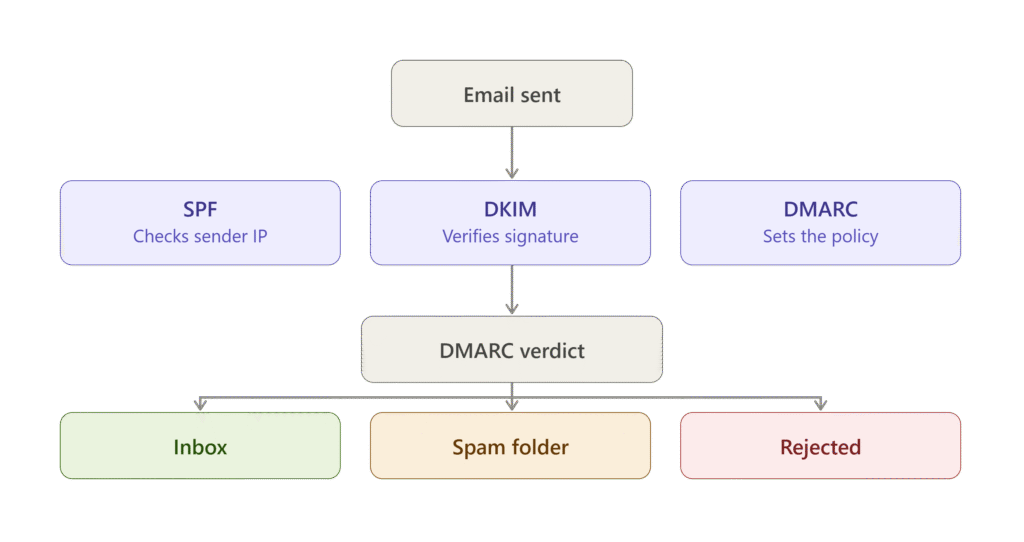
SPF, or Sender Policy Framework, is a list you publish that says which mail servers are allowed to send email on your domain’s behalf. Think of it as a guest list at a private event. When an email arrives claiming to be from yourdomain.com, the receiving server checks: is this server actually on the approved list?
If you use Google Workspace to send email, and also Instantly or Smartlead for cold outreach, your SPF record needs to include all of them. Miss one, and emails sent from that tool will fail the check.
A basic SPF record looks like this:
v=spf1 include:_spf.google.com include:mail.instantly.ai ~allThe most common mistake here isn’t missing SPF entirely, it’s having multiple conflicting SPF records, or forgetting to add a new sending tool when you start using it.
DKIM: the wax seal
DKIM, or DomainKeys Identified Mail, works differently. Instead of a list of approved senders, it attaches a digital signature to every email you send, generated using a private key only your systems have access to. The receiving server checks this signature against a public key published in your DNS.
If the signature matches, the receiving server knows two things: the email genuinely came from your domain, and nothing in it was altered in transit. It’s the digital equivalent of a wax seal on a letter, if the seal is broken or doesn’t match, something’s wrong.
Every legitimate sending tool you use, whether that’s your email client or a cold outreach platform, needs its own DKIM key set up and verified.
DMARC: the instructions for what happens next
SPF and DKIM tell a receiving server whether an email is legitimate. DMARC tells that server what to actually do when a check fails, and gives you visibility into who’s trying to send email as your domain.
A DMARC record can be set to one of three modes:
- p=none monitors and reports failures, but does nothing else. Good for getting started.
- p=quarantine sends failing emails to spam.
- p=reject blocks failing emails outright.
Most domains should start at p=none, review the reports for a few weeks to make sure nothing legitimate is getting flagged, then move to quarantine and eventually reject as confidence builds.
Without DMARC, you have zero visibility into whether someone is spoofing your domain to send phishing emails, and inbox providers trust your domain less by default.
What happens if any of these are missing
Gmail and Outlook have both tightened requirements significantly. If you’re sending any real volume of email and don’t have all three properly configured, expect:
- Higher spam folder placement, even for legitimate campaigns
- Lower sender reputation that compounds over time
- Bulk senders (100+ emails a day) risking outright rejection under Google and Yahoo’s current bulk sender requirements
How to check your current setup
You don’t need to guess. Free tools like MXToolbox let you check your domain’s SPF, DKIM, and DMARC records in under a minute. If any of the three come back missing or show errors, that’s the first thing to fix, before touching subject lines, copy, or send times.
The takeaway
None of this is complicated once it’s broken down. SPF confirms who’s allowed to send. DKIM proves the email wasn’t tampered with. DMARC decides what happens when something fails, and gives you eyes on abuse attempts. Get all three configured correctly, and you’ve removed the single biggest technical reason cold emails end up in spam.
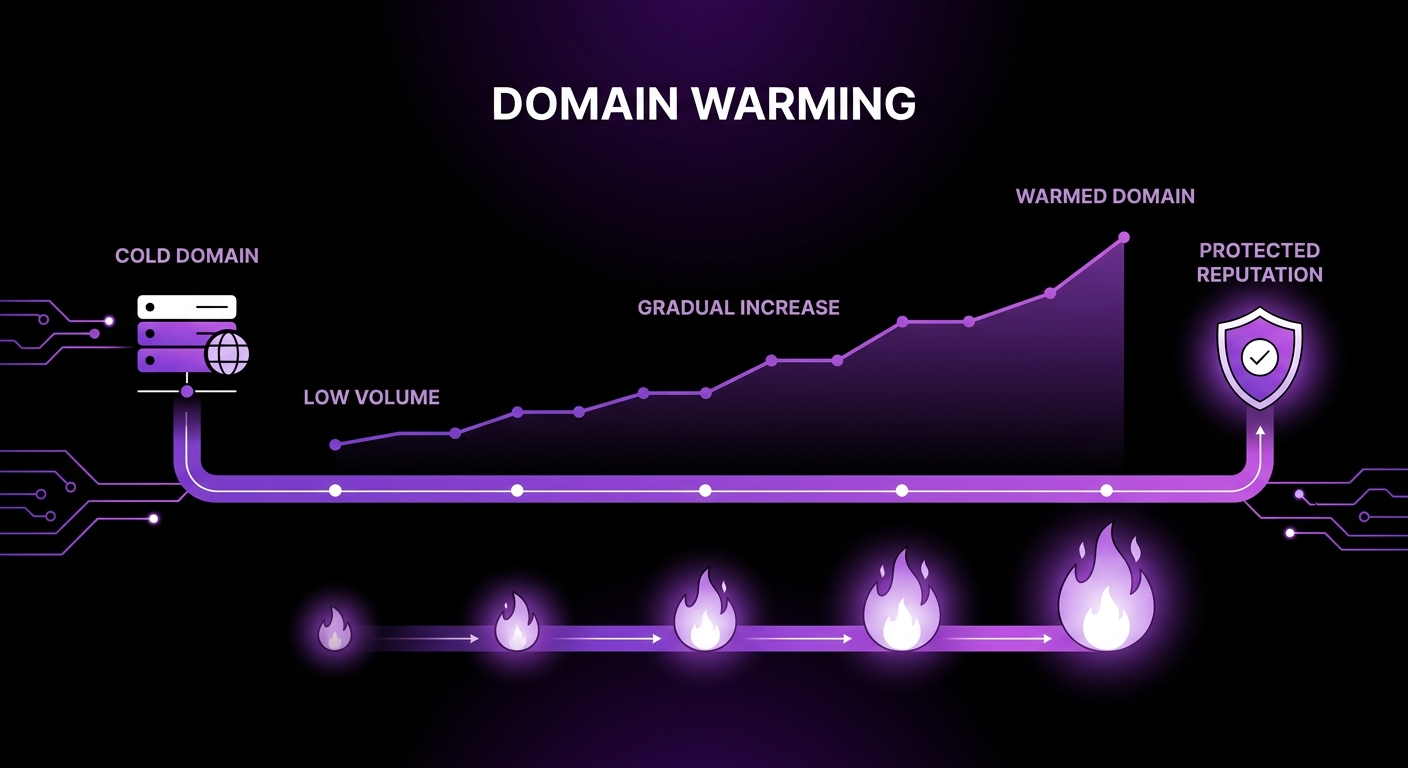
Before scaling sends from a new domain, follow a gradual domain warming plan to build sender reputation.
Grow X sets up and manages SPF, DKIM, and DMARC as part of every deliverability engagement, alongside copywriting, automation, and campaign management for B2B SaaS companies. If you’re not sure whether your domain passes all three checks, book a free deliverability audit.